Blender Hot Node 1.0.2 addon for User Nodes free download
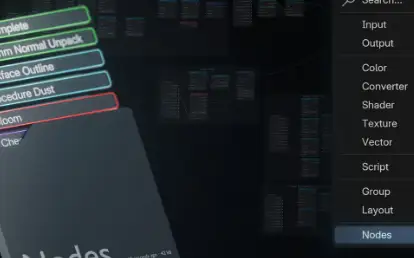
Save any nodes and their attributes, then add nodes just like adding a single node, fast and cross-file.
Load image by automatically seraching and set their color-space & alpha mode.
Store / share nodes packs light-weightly without a big .blend file as it’s library (usually smaller than 1 MiB).
Language 多语言
English, 简体中文.
Usage
Tutorial Video in English – At this site, a bit old but still useful.
Tutorial Video in Chinese 中文教程
Presets
Presets are nodes templetes that can be stored, modified, got.
Manage & Get Nodes in Presets
You can manage & apply presets across .blend files:
Create
Click Plus icon button on the right of the preset select window. Current selected nodes will be saved to the new preset.
Or select the nodes and right click then type new preset’s name in Fast Create Preset Name.
Then a new preset recording the current selected nodes will be created:
Set – select the nodes, click Set, these selected nodes will be saved to the current selected preset.
Delete – select the preset and click the Minus icon button on the right of the preset select window.
Reorder – use the Up / Down icon button next to the preset select window.
Get – selected preset to the current editing node tree by pressing Get or in Shift + A > Nodes.
Textures in Preset
Hot Node supports automatically opening, settings image file for node containing image, and supports the modes below:
Fixed in 1.0.2
The new pack after pack creation was not ordered.
Presets in imported legacy pack lost their order after quit Blender.
Info after copy/move preset shows incorrectly.
⭐ Hot Node 1.0 Available
Added
You can click the little icon beside the preset to add nodes now.
Custom pack icon, UI list minimum length, sidebar items, pack / preset / menu default name, and more.
Pack filter checker to show packs which are in current editing node tree type.
New code structure. In the future it’s easier to add support for the new blender node / third party node, and, easier for the other contributors to join the node-support-development!
Changed
Brand new isolated history system, now undo/redo can be shared across blender sessions, and wont be pushed into blender’s history.
Brand new node parsing and setting system with strong stability and flexibility for handling issues in the future.
Extended menu to node add menu / context menu can be disabled now.
Finetuned interaction design.
Changed translation system to blender’s.
Keywords mode of setting images are removed. Instead, a image name filter is avaliable for matching images by name similarity when the image directory was given.
Data is saved in the appdata directory by default, and we add a button to load & update your packs in the old Hot Node version.
Fixed
Significant stability improvement. A lot of bugs were fixed now.
NodeZone stability improvement.
Thoroughly repaired the NodeFrame location problem.
Downloads: show love to dev by purchasing if you can afford it
IF THE LINKS ARENT WORKING, THEN PLEASE ACT LIKE A GROWN UP AND MESSAGE ME/ COMMENT HERE OR ON DISCORD AND I WILL UPDATE THESE LINKS QUICKLY! MAKE SURE YOU DOWNLOADING PROPER FILE WITH PROPER EXTENSION LIKE .ZIP OR .RAR
Filename: add-on-hot-node-v1.0.2 vfxMed.zip
Official Discord : https://discord.gg/M2kqB4M9tG
USE IDM FOR FASTER DOWNLOAD.
https://send.now/2p95mrumslwk CLOSE ADS FIRST!
USE ANY FREE VPN IF U CANT DOWNLOAD THE FILE OR GET AN ERROR!
ONLY USE BRAVE BROWSER TO DOWNLOAD WITHOUT ADS AND QUICKLY! GUYS MAKE SURE TO AVOID ADS!! DONT DOWNLOAD ADS, KEEP AN EYE ON SPAMMY WEBSITES THAT WILL OPEN WHEN YOU CLICK ON DOWNLOAD LINK!
MIRRORS:
for mega and g drive links – contact admin.






Post Comment