PSX Retro Tools – PlayStation 1 visuals in Blender Addon Download
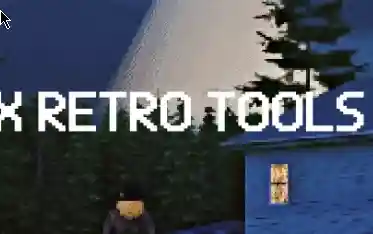
Bring the magic of PlayStation 1–era visuals into Blender with PSX Retro Tools — a complete toolkit for creating authentic low-poly, low-resolution, dithered graphics. Perfect for 3D artists, game developers, and retro enthusiasts
Features:
Low-Poly Simplifier — Automatically decimate and triangulate meshes for authentic PSX aesthetics
Low-Resolution Texture Baking — Bake all object materials into a single low-res texture, preserving UV layout and palette
Texture Generator — Generate base textures (checkerboard, gradients, for texture painting) with limited color palettes
Color Dithering — Bayer, Floyd–Steinberg, Atkinson, and more, with adjustable scale
Vertex Wobble — Geometry Nodes–based vertex jitter effect in the style of PS1
Vertex Wobble PRO — Hold frames, axis selection, per-axis amplitude, presets, instant modifier sync
Shadow Controls — Low Resolution Shadows mode and full shadow disabling
Vertex Screen Snapping — True vertex snapping effect
Render Presets — Quick PSX resolution presets, color depth options, AA toggle
Pixel – Perfect Upscale
Texture Distort
Why choose PSX Retro Tools?
Designed for speed — one-click setup for retro rendering
Ideal for indie games, art projects, and animations with PS1 vibes
Changelog (since 1.6.0):
————————-
– Added compatibility shim for Blender 5.0 compositor changes while keeping support for older versions.
– Fixed Blender 5.0 error where `scene.node_tree` was missing by routing compositor setup to the new API.
– Updated project links to https://x.com/fawkek_obj.
– Added support for 512×512 textures in generator and bake.
– Bake now restores original render engine after completion.
– Bake now rebuilds a clean shader (UV → Image → Principled → Output) to avoid broken nodes.
– Unique names for baked textures to prevent overwriting.
– Generator now auto-connects generated Checker/Gradient texture into the material.
– Added live update for Vertex Screen Snapping:
– VSN_Props.camera and VSN_Props.size now instantly sync with the Vertex Snapping modifier inputs on the active object (no manual update needed).
– Added per-object Size control for Vertex Screen Snapping:
– New “Change value only for this object” toggle keeps Size edits local by default; disable it to push the value to every object using the modifier.
– Implemented realtime preview for Low-Poly:
– Changing Scene.low_poly_ratio now creates/updates a non-destructive PSX_Decimate (Preview) modifier that reflects changes immediately.
– “Apply Low-Poly” button applies the preview or creates a permanent decimation if none exists, then clears the preview.
– Added safe live synchronization for PSX Vertex Wobble PRO:
– All psxpro_* properties (Frequency, Hold, Seed, Axes, Global Amp, Amp X/Y/Z) now update the PSX_Wobble_Pro modifier values in real time, if the modifier exists.
– “Add / Update” button still creates or links nodes, after which live sync starts automatically.
– Added a new “Triangulate Mesh (PSX)” button to the Low-Poly Helper section for quick quad-to-tri conversion in authentic PSX style.
Downloads: show love to dev by purchasing if you can afford it
IF THE LINKS ARENT WORKING, THEN PLEASE ACT LIKE A GROWN UP AND MESSAGE ME/ COMMENT HERE OR ON DISCORD AND I WILL UPDATE THESE LINKS QUICKLY! MAKE SURE YOU DOWNLOADING PROPER FILE WITH PROPER EXTENSION LIKE .ZIP OR .RAR
Filename: PSX tools_161 vfxMed.zip
Official Discord : https://discord.gg/M2kqB4M9tG
USE IDM FOR FASTER DOWNLOAD.
https://send.now/k8iy6dqei013
USE ANY FREE VPN IF U CANT DOWNLOAD THE FILE OR GET AN ERROR LIKE INTERNAL SERVER 500 ERROR!
ONLY USE BRAVE BROWSER TO DOWNLOAD WITHOUT ADS AND QUICKLY! GUYS MAKE SURE TO AVOID ADS!! DONT DOWNLOAD ADS, KEEP AN EYE ON SPAMMY WEBSITES THAT WILL OPEN WHEN YOU CLICK ON DOWNLOAD LINK!
MIRRORS:
for mega and g drive links – contact admin.


Post Comment