Gnomon Workshop Virtual Makeup Design Volume 2 Course Download
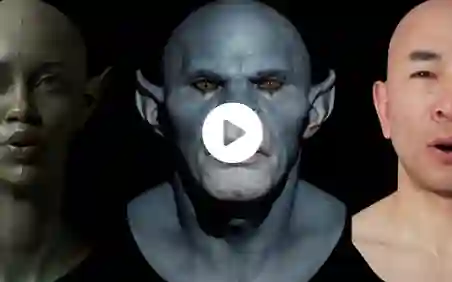
Character design is only part of the equation; presentation is what sells an idea. In this second volume on Virtual Makeup Design, Film and TV creature and concept designer Neville Page focuses on how to present character designs in a way that ensures clarity, realism, and approval from decision-makers.
In Volume 1, Neville presented how to create designs that can be turned into practical makeup, working from head scan data to demonstrate how to work on top of it in ZBrush, the same as if you were working with a physical life cast. In this second volume, Neville takes the two character designs created in Vol. 1 and, using digital tools, he demonstrates how to apply color, texture, and materials that accurately represent not only the final look of a character but also the real-world materials that would be used in practical makeup effects, such as foam latex, silicone, and paint.
By showcasing multiple character designs, Neville illustrates his key professional techniques for making digital concepts feel tangible and production-ready, empowering artists to present their work professionally and precisely. The methods taught follow the same workflow that Neville uses when designing for sci-fi movies and TV series.
17 Lessons
01
Setting up the Head
Free
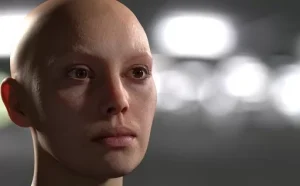
In this practical makeup effects workshop, Neville demonstrates his method for creating realistic 3D character heads for concept presentations. Instead of aiming for full photorealism, he achieves good-quality results through smart workflow choices and lighting techniques borrowed from photography. These principles apply across software platforms, emphasizing that working efficiently within your skill set is the key to producing professional results.
Duration: 9m 24s
Setting up the Head
02
Preparing the Textures
This lesson looks at experimental, iterative approaches to character texturing that bridges texturing from Photoshop into rendering in Keyshot. Neville maintains flexibility in the creative process, trying unexpected texture sources and using color variations, to find unique results. He also considers practical considerations at this time, like the performer’s comfort, if they wear contact lenses, for intstance.
Duration: 5m 49s
Preparing the Textures
03
Preparing the Photo Studio
In this lesson, Neville emphasizes that photorealism begins with proper lighting and continues through thoughtful texture choices, but that real-world application should always be a consideration, whether that’s makeup application time, budget limitations, or technical requirements. Working in Photoshop, he shows how artists can “sketch with sliders” while maintaining loose creative goals, allowing for discovery while working toward a final alien makeup design.
Duration: 10m 20s
etc
Downloads Section Below:
show love to dev by purchasing if you can afford it
IF THE LINKS ARENT WORKING, THEN PLEASE ACT LIKE A GROWN UP AND MESSAGE ME/ COMMENT HERE OR ON DISCORD AND I WILL UPDATE THESE LINKS QUICKLY! MAKE SURE YOU DOWNLOADING PROPER FILE WITH PROPER EXTENSION LIKE .ZIP OR .RAR
Official Discord : https://discord.gg/M2kqB4M9tG
USE IDM FOR FASTER DOWNLOAD.
https://send.now/lp0afdyjty8b
https://send.now/tvizq2797c94
must download all files into same folder then extract part 1 using 7zip only. dont rename any file!
USE ANY FREE VPN IF U CANT ACCESS DOWNLOAD SITE OR DOWNLOAD FAILS 🙂
SOMETIMES CLICKING DOWNLOAD BUTTONS ON SITES WILL OPEN MANY ADS SO CLOSE THEM, DOWNLOAD THE ACTUAL FILE AND MAKE SURE FILESIZE SHOWN ON DOWNLOAD SITE AND FILENAME MATCHES! IF ITS DIFFERENT OR LOW IN FILE SIZE THEN ITS A FAKE FILE, DONT RUN IT!
MIRRORS:
for mega and g drive links – contact admin.


Post Comment